Android
Material You
Color yourself at home.
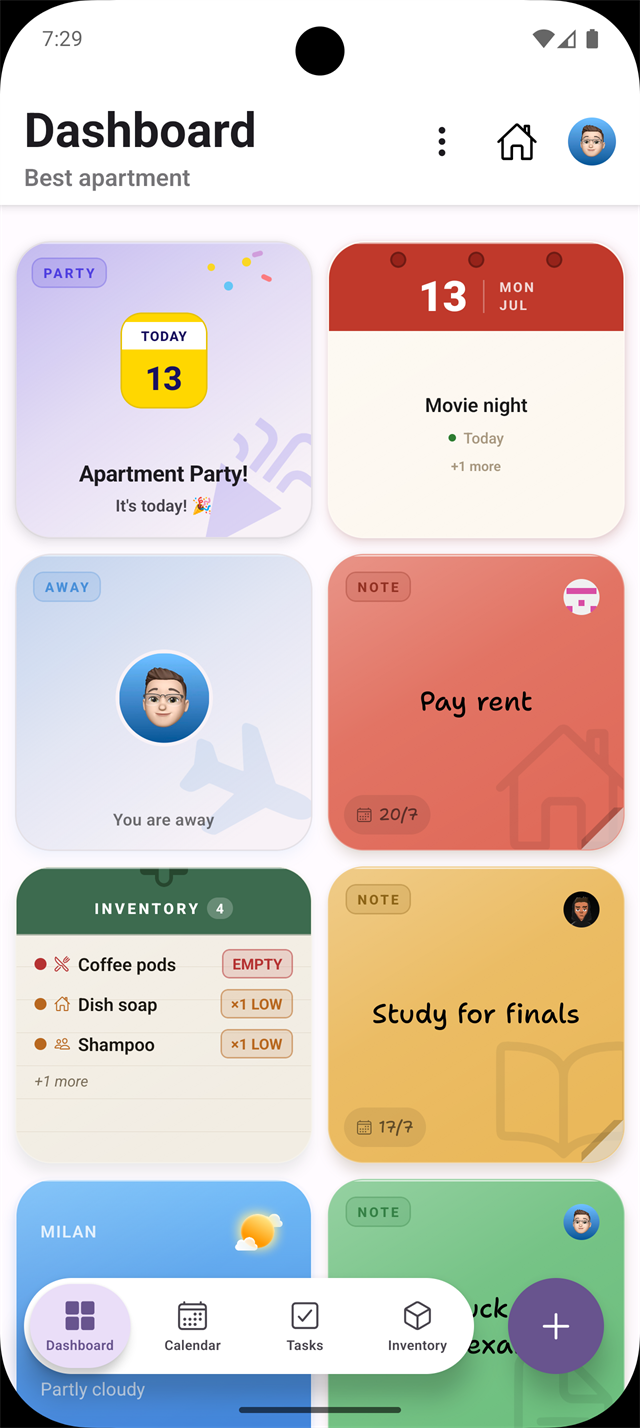
Material You reads your wallpaper's palette and spreads it across every surface. Tap a color and the whole app follows.

FIG. 04 / 2026 · CROSS-PLATFORM APP
Your shared dorm, organized: chores, calendar, inventory and a widget dashboard, native on iOS and Android.
Overview
DormMate is a cross-platform mobile app, built in React Native for both Android and iOS. It helps roommates manage shared tasks, to-do lists and events, so everyone stays organized and in sync.
It acts as a shared dashboard: pin notes, flag events, guests or time away, follow shared chores and their progress, and keep an eye on the supplies that should never run out.
ONE CODEBASE
The same React Native code, dressed in each platform's own design language instead of one flat look shared across both.
Material You reads your wallpaper's palette and spreads it across every surface. Tap a color and the whole app follows.
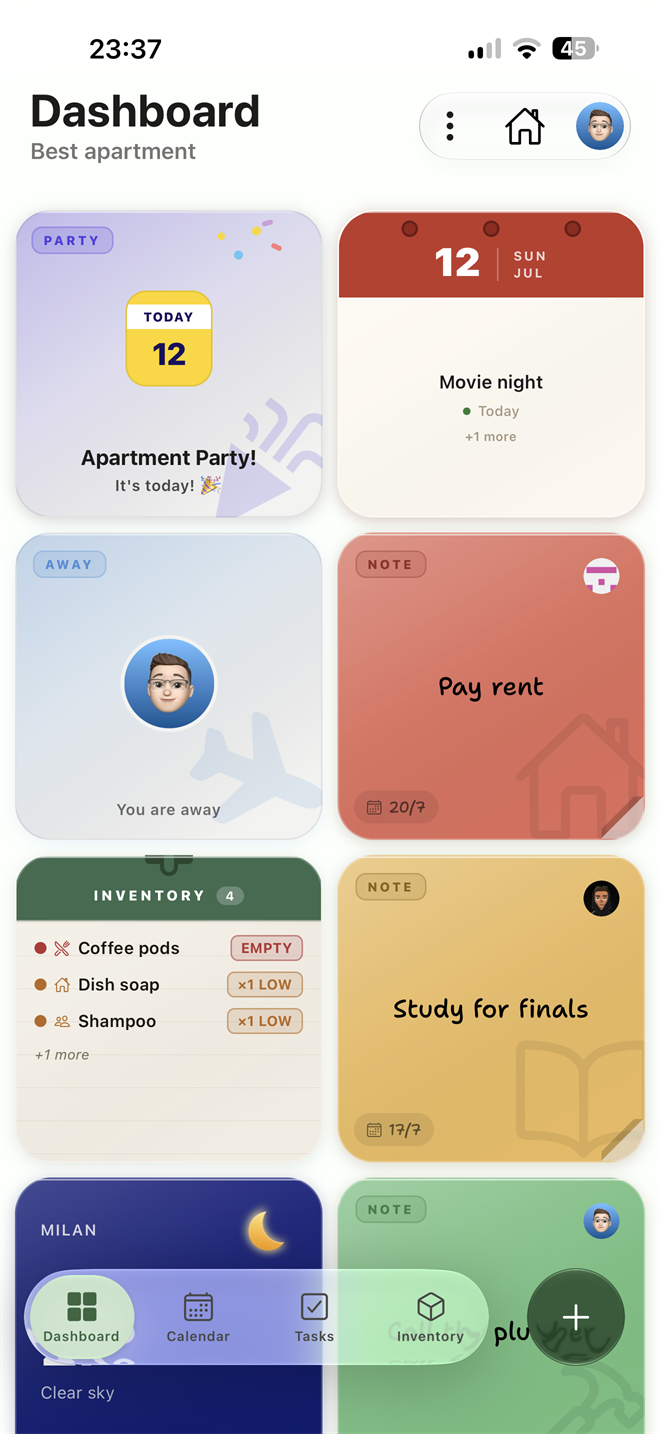
On iOS 26, glass controls float above the content with depth and blur, and DormMate's colors shine straight through.

TECH STACK
DormMate is a single React Native codebase that runs natively on both Android and iOS. Every screen compiles to each platform's own UI components, so it never feels like a port.
Expo's managed workflow gives access to native platform APIs without writing a line of Swift or Kotlin. It's what powers Material You dynamic color on Android and Liquid Glass on iOS.
Firebase handles the backend. Firestore keeps shared apartment data in sync across all roommates in real time, Auth manages user accounts, and Storage holds profile photos.
Living together brings a handful of recurring needs: knowing what is happening at home, staying in sync on schedules, splitting chores fairly, and keeping shared supplies stocked. Each screen in DormMate is built around exactly one of them.
Your shared dorm at a glance
 sticky_note_2
Call the plumber
sticky_note_2
Call the plumber
 menu_book
Study for finals
menu_book
Study for finals
 payments
Pay rent
payments
Pay rent
Notes
Sticky notes for the whole apartment, pinned to a shared board. Each one can have a custom icon, a due date, and a color to show how urgent it is.
Appliances
Always know whether the washing machine, dryer, or dishwasher is free. See who's using each one and how long until it's done.

Calendar & events
Previews the next 7 days right on the Dashboard. Separate cards for parties, guests, and away periods make it easy to see what's coming up and keep everyone in the loop.
Inventory
Shows what's running low or already out in the apartment, so you can restock before someone runs out. No need to open the full Inventory page to get the picture.

Weather
Real-time weather for your city, updated automatically in the background. Good for planning laundry days, deciding when to air out the apartment, or just getting a sense of what kind of day it is.
Events, absences & guests
Calendar view
See the whole month in one view. Events, jobs, and away periods appear right on the grid, color-coded so you always know what's coming without opening a single card.


Events & jobs
Generic events cover one-off things like inspections or appointments. Job events assign recurring chores to specific roommates, so nothing gets forgotten.


Away & guests
Away periods let you mark when you're gone for a few days, so roommates always know who's home. Guests events let everyone know when someone's bringing people over, so there are no surprises.

Parties & notes
Party events set a guest limit and a host, great for apartment get-togethers. Note-linked events connect to the shared board, so the extra context is right there when you need it.
Shared chores & to-dos
Scrub the toilet, sink, and bathtub. Mop the floor.
Completions
You
3
Simone
2
 Gabriele
0
Gabriele
0
Empty all bins and bring the bags down to the dumpsters outside.
Completions
You
1
Simone
2
Gabriele
0
Restock shared essentials: milk, bread, eggs, and cleaning supplies.
Completions
You
0
Simone
0
Gabriele
0
Tasks
Any recurring chore, like cleaning, laundry or groceries, gets its own card. Tap it open to log your count and see how everyone else is keeping up. The filter strip at the top scopes everything to today, the week, or all time.
What's running low
Inventory grid
Items are grouped by category and shown in a color-coded grid. The color tells you at a glance what's empty, what's running low, and what's fine. Tap any card to open it and update the count.
sticky_note_2
Call the plumber
 menu_book
Study for finals
menu_book
Study for finals
 payments
Pay rent
payments
Pay rent
 Cristian
Simone
Gabriele
32°C
Overcast
Feels like 37°C
Cristian
Simone
Gabriele
32°C
Overcast
Feels like 37°C


 Gabriele
 CristianCristian
 SimoneYouSimoneSimone